

Claude Desktop (custom connector + OAuth)
- In Claude Desktop: Settings → Connectors → Add → Add custom connector
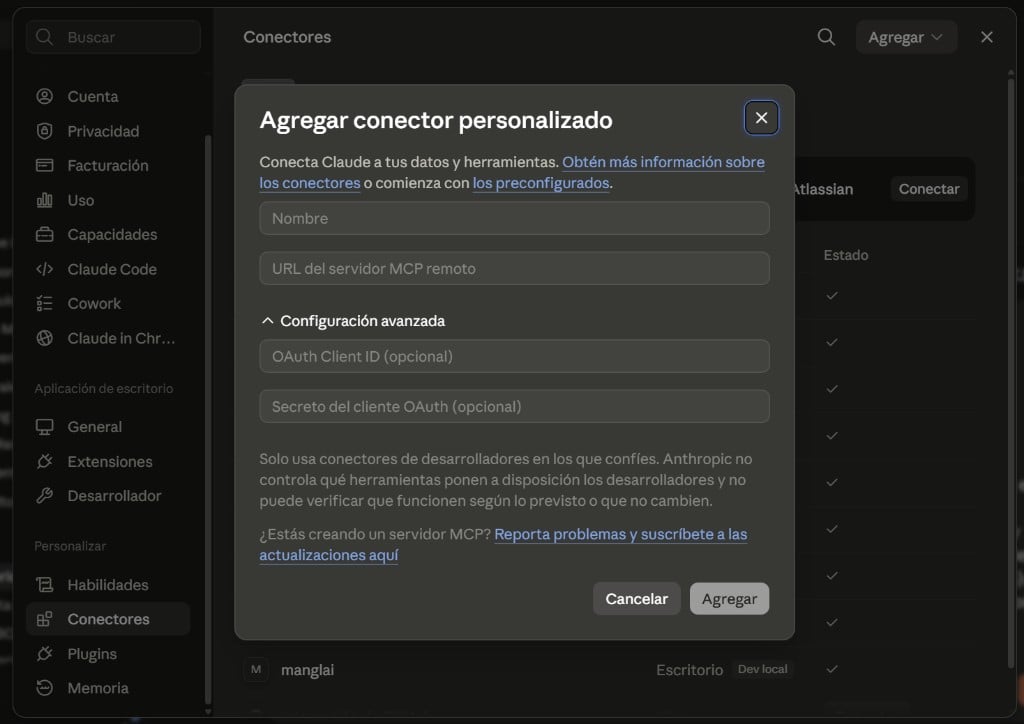
- Fill in the fields (hover each value to copy it):
- Click Add and authorize. The server simulates OAuth and uses the secret as the Bearer token (no refresh).
mcp-remote (below); both modes are supported.
Alternative: mcp-remote (direct Bearer)
Claude Desktop can also connect to the MCP by editing the configuration file withmcp-remote.
Configuration (JSON)
-
Open the configuration file:
- macOS:
~/Library/Application Support/Claude/claude_desktop_config.json - Windows:
%APPDATA%\Claude\claude_desktop_config.json
- macOS:
- Add the MCP server:
-
Replace
your_token_herewith your Manglai token - Restart Claude Desktop
Verify Connection
In the Claude chat, look for the tools icon (🔧) —manglai should appear as a connected server. Test with:
“List my buildings in Manglai”
Example Prompts
- “List my buildings in Manglai”
- “What are my company’s emissions in 2024 by scope?”
- “Show me electricity invoices for the last quarter”
- “How many electric vehicles does my fleet have?”
- “List my 2024 GHG inventory reports”
Generate token
Create your access token for Claude